
Jul 28, 2026
Release 118 introduces the foundation for Field Service Management with our new Work Orders Beta, giving technicians a live mobile workspace with time tracking, customer signatures, and on-hold workflows, alongside a new Personnel Database Beta to track and assign your entire workforce to assets, even those without a ToolSense account. We have also expanded fleet connectivity with new Volvo and Schneidereit integrations, added dropdown custom fields that flow seamlessly into generated PDFs and emails, and delivered smarter trip data with customizable fuel units and live on-screen updates. Rounding out this release is an Asset Types Merge tool, mobile SSO passkey support, and localized push notifications to clean up friction everywhere you work.
 Work Orders: Field Service Management v1 (Beta)
As the foundation of Field Service Management in ToolSense, work orders are no longer static records, but a live workspace your technicians actually operate in the field.
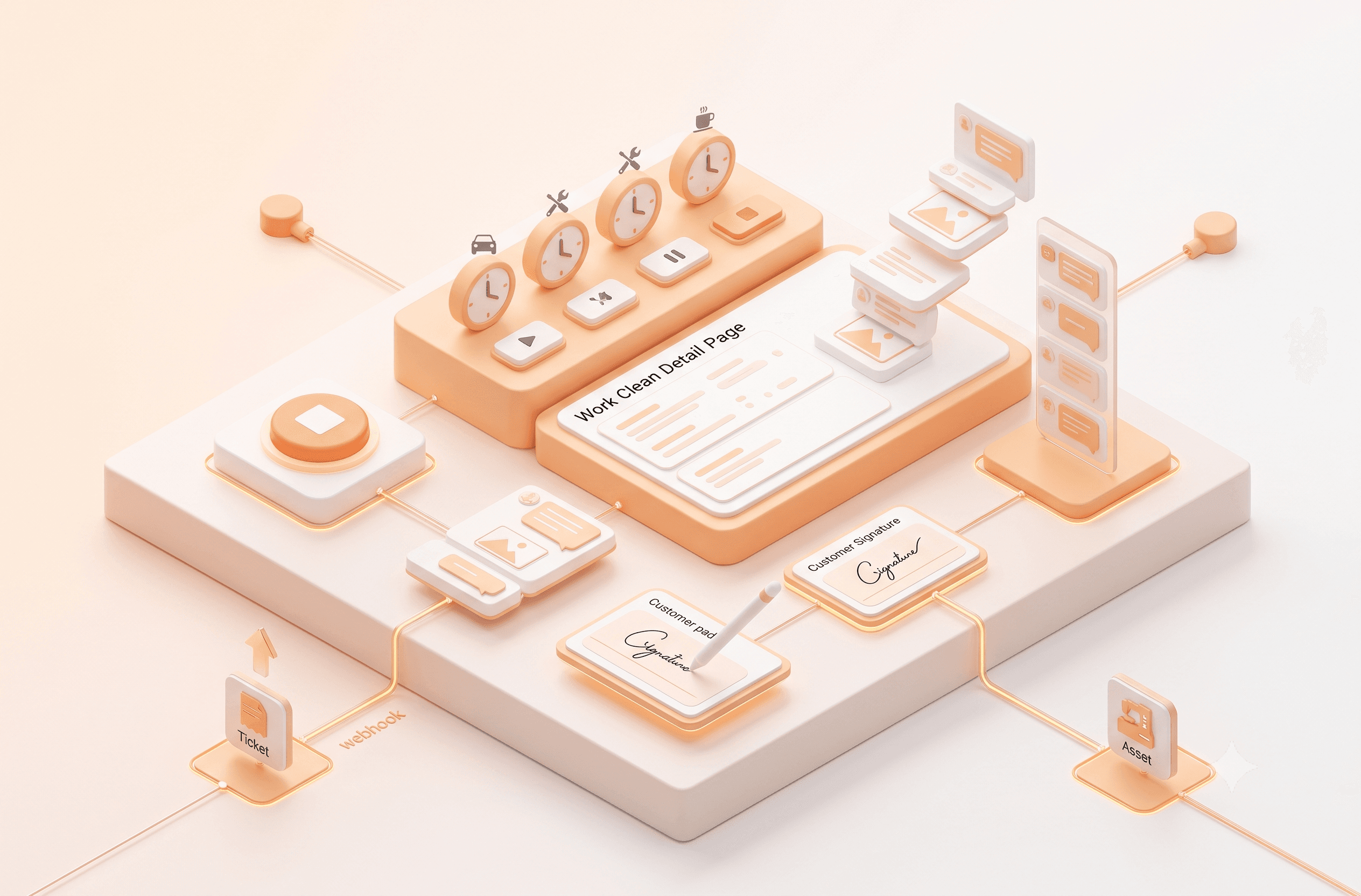
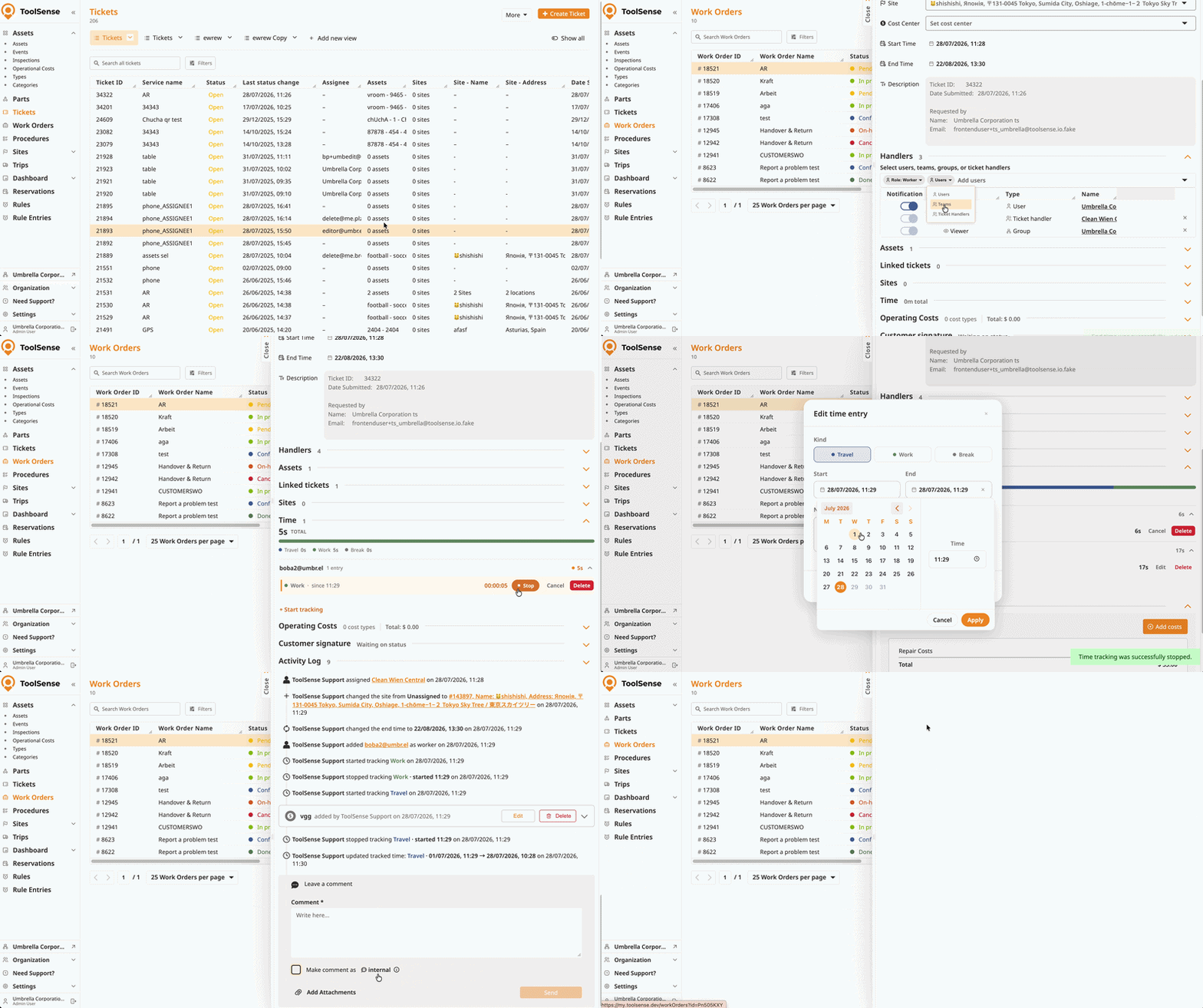
Time Tracking: Technicians log their time per person, split into Travel, Work, and Break entries with start and stop actions, ensuring every work order carries an accurate record of effort.
Notes & Images: An append-only comment thread with image attachments keeps a running log of what happened on the job.
Customer Signature: Capture the signature on completion, stored right on the work order.
On-Hold Workflow: Pause a work order when the job cannot continue. This automatically stops the running timer and records the reason in one step, making it visible to the dispatcher on the linked ticket.
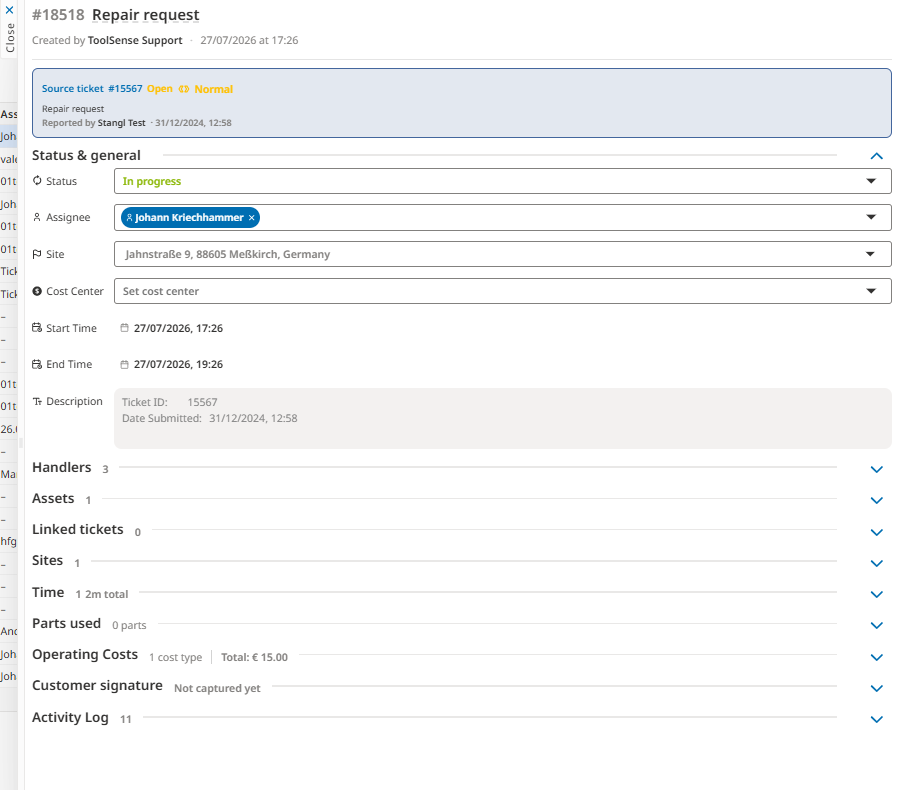
One Clean Detail Page: A single, continuous work order page matching the ticket layout features inline editing and auto-save. There is no separate edit screen and no Save button.
Connected End-to-End: Work orders are linked to their ticket, recorded in the asset's history, and fire outbound webhooks so your connected systems stay in sync.
Beta: This feature is not enabled by default. Ask your ToolSense CSM to activate Work Orders for your organization.
Who can use it: Users with Work Orders access.
 Personnel Database (Beta)
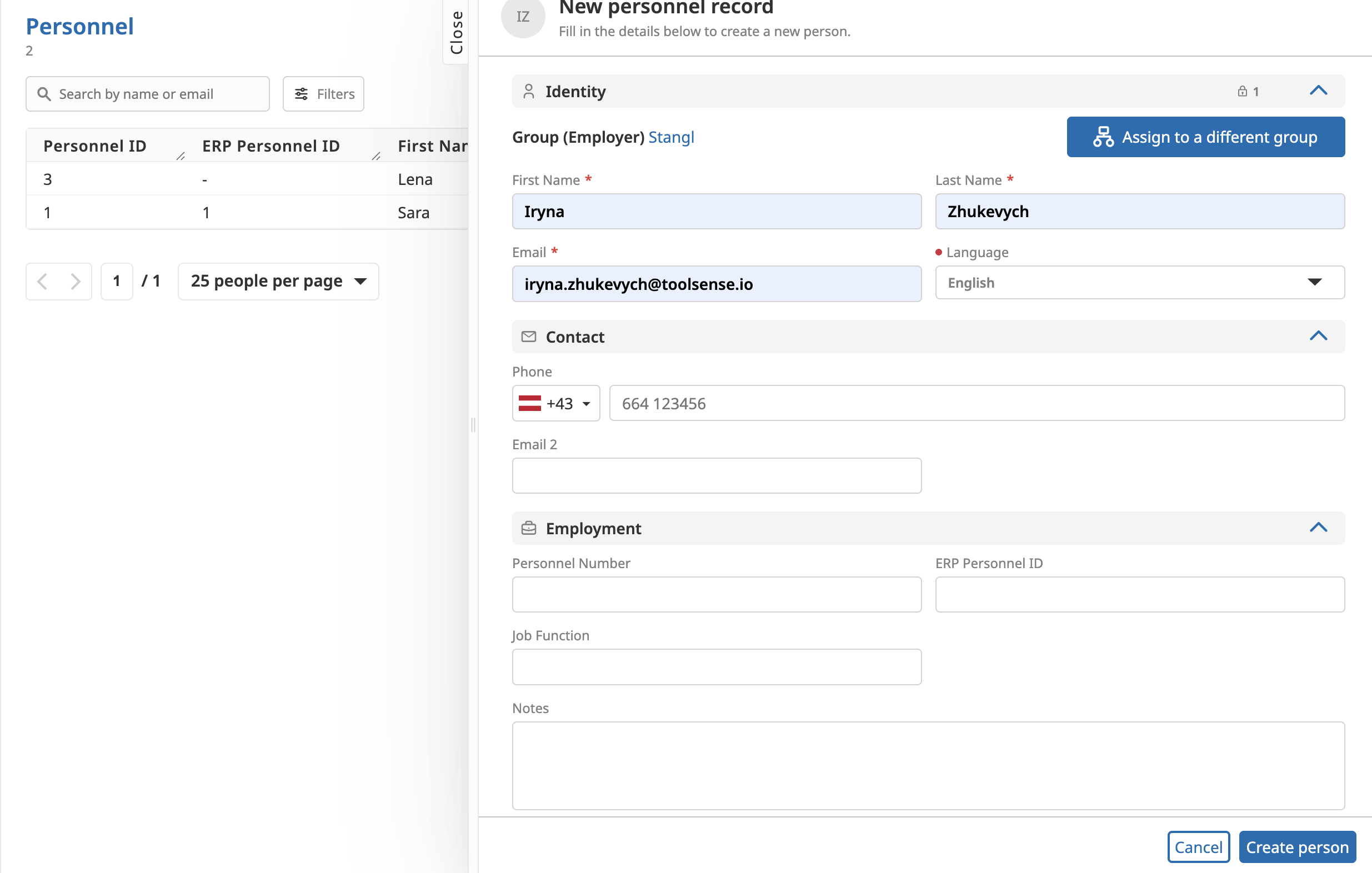
A single, central directory of everyone in your operation, including the people who don't have a ToolSense account.
One Record for Every Person: Keep a master list of your workforce, including employees, subcontractors, drivers, even those who aren't platform users.
Assign Personnel to Assets: A new Personnel custom field lets you assign people to assets by role, such as Driver, Project Manager, Site Manager, and more. You can finally answer "who's responsible for this machine?" and "which assets belong to someone who has left?" at a glance.
Full History: Every change is tracked, covering when a record is created, edited, assigned or unassigned to assets, and deactivated.
 New Integrations & Fleet Sync
A new commercial-laundry integration, plus a more transparent and reliable sync engine.
Schneidereit (Electrolux): Connect Electrolux Professional laundry equipment (washers, dryers, and ironers) to sync machine data automatically. ToolSense pulls each machine's operating hours, completed cycle counts, and total program runs straight from the manufacturer, so usage is tracked without any manual entry.
Volvo: New Volvo integration for syncing machine data.
Who can use it: New integrations require setup. Ask your ToolSense CSM to get started.
 Richer Custom Fields
Capture more structured data and carry it directly into your documents.
Dropdown Custom Fields: New single-select and multi-select dropdown custom field types, available on web and mobile.
In PDFs & Emails: Custom field values now render in generated PDFs and email notifications, so the details you capture show up where they matter.
 Trips & Vehicles
Clearer, more accurate, and more private trip data.
Fuel Units: Trips now display fuel usage in your configured unit.
Trip Sorting: Sort the trips list to find what you need faster.
Live Updates: Asset moves during a trip now update live on screen.
 Robots Dashboard
Seamless navigation.
Site Search: You can now search robot sites directly.
 Asset Types Merge
Clean up duplicate asset types without losing data.
Merge Asset Types: Combine duplicate or overlapping asset types into one, keeping your catalog tidy.
 Sharper Ticket PDFs & Emails
Improved rendering of PDFs and Emails.
iPhone (HEIC) Photos: HEIC photos uploaded from an iPhone's photo library now render correctly in generated PDFs (previously they appeared as a link instead of the image).
Custom Fields Included: Your custom field values now appear in PDFs and emails (see above).
 Improvements & Bug Fixes
 Mobile Features & App Stability
SSO Passkey Sign-In: Logging into the mobile app with your company account (SSO) now supports passkeys, including Face ID, fingerprint, device PIN, or a security key. Sign-in opens securely and returns you straight to the app.
Move-Asset Tickets on Mobile: For a ticket that will move an asset to a new site, the mobile app now shows the asset's current site, not just the new one, while the ticket is still open. This matches the web app.
 Localization
Push Notifications: Ticket push notifications are now delivered in the recipient's language.